See the bikes
before you go.
Street Ridr tells you how many bikes and parking spots are at each station right now. Check the app, a widget, or your Apple Watch, which can get the counts without your phone.


- iPhone & iPad
- Apple Watch
- Widgets
- Siri & Shortcuts
- Live Activities
Use one app in all 51 cities.
Most bike-share systems have their own app. Street Ridr puts 51 of them on one map, with the count on each pin, and it knows which city you're in.
-
-
 Apple Watch

The map
Live counts
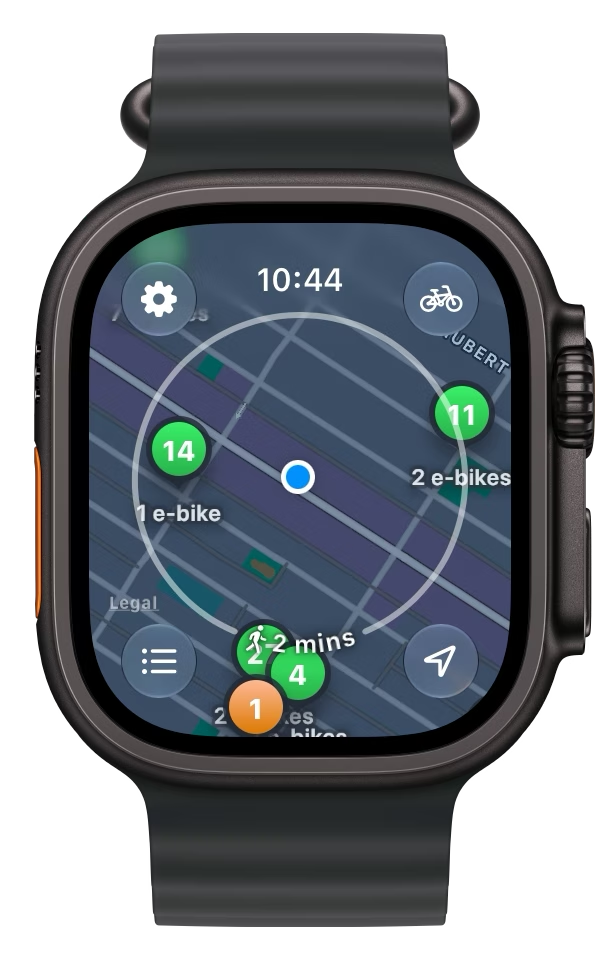
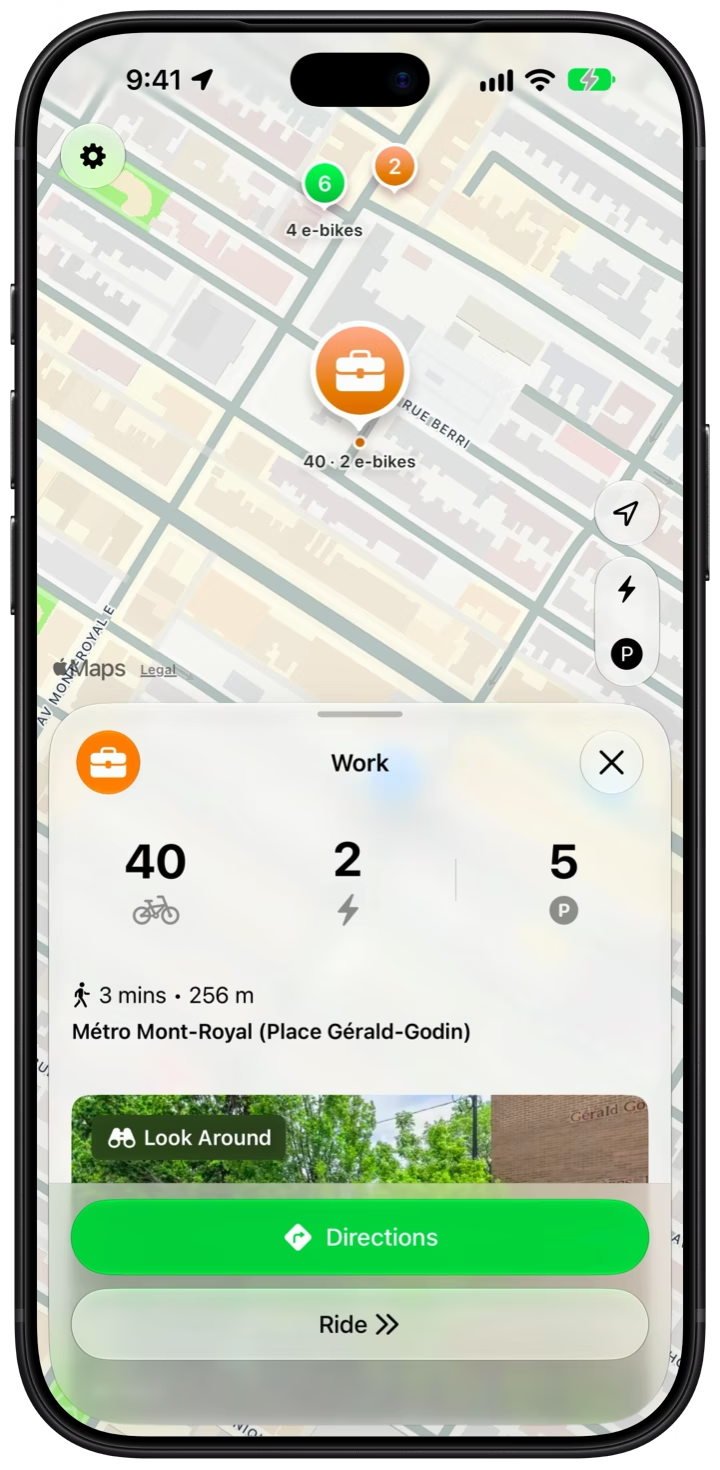
Every pin has a number. Green is four bikes or more, orange is one to three, red is none, and purple means the station is full. Tap the P and every pin shows its parking spots instead, or tap the bolt for only the stations with an e‑bike.
- Bike counts on every pin
- Switch to parking spots
- Only stations with an e‑bike

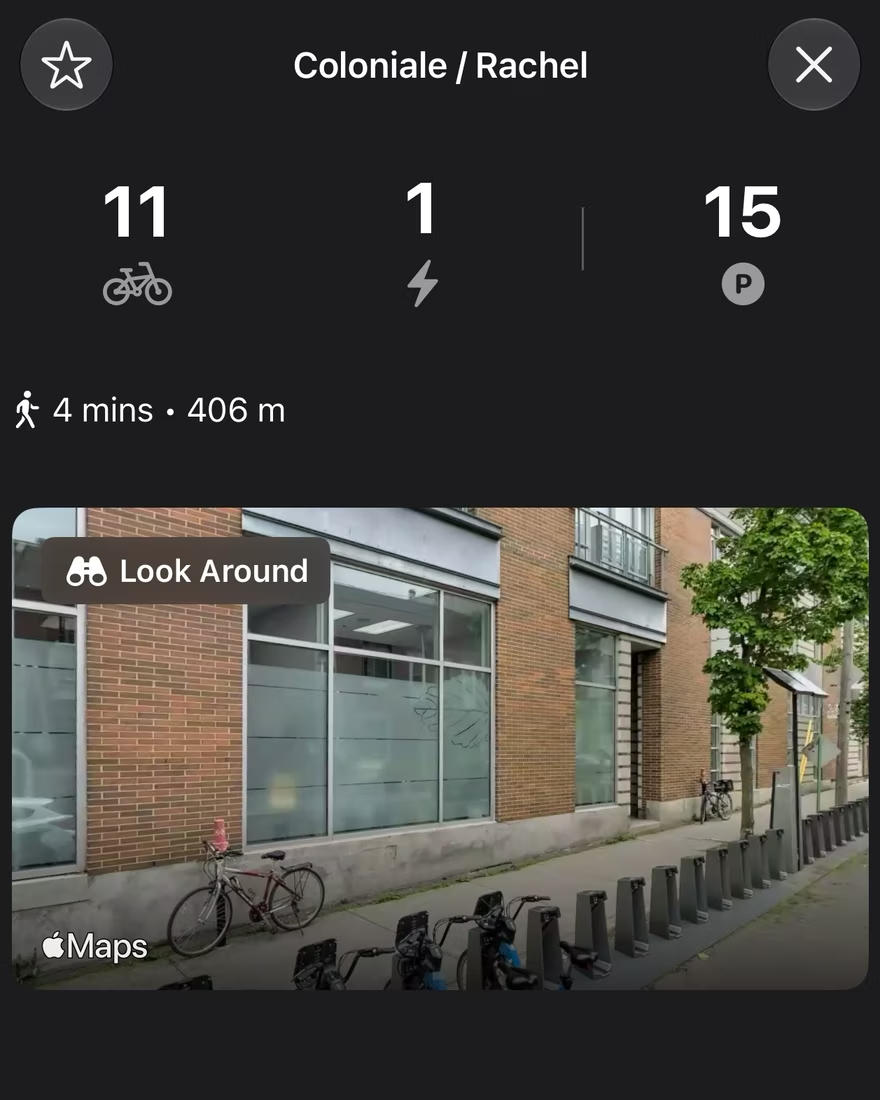
Look Around
Each station has a card with its counts and the walk there. Where Apple has Look Around, you'll see the spot from the street, so you'll know it when you get there.
Directions
Tell it where you're going. It picks a station with a bike near you and one with room near where you're headed, and times the walk and the ride. You can also open the route in Apple Maps.

Leave your phone at home.
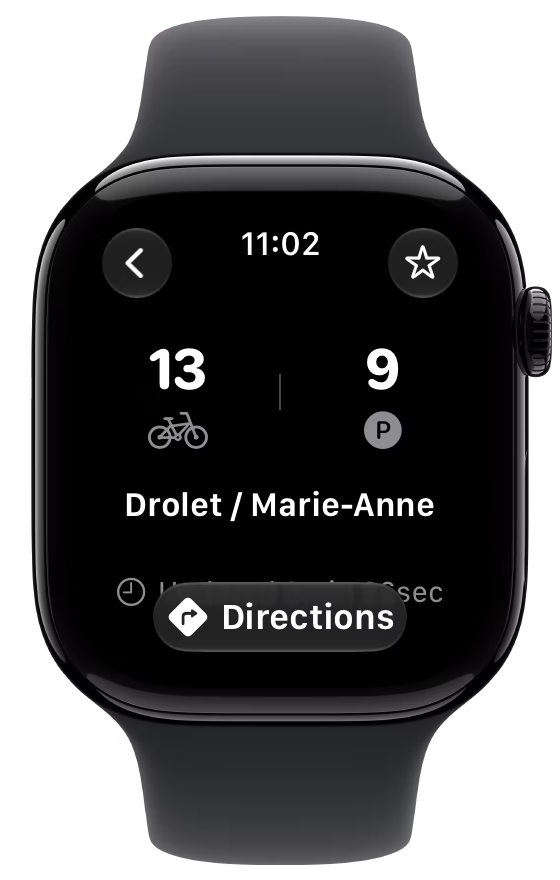
The Apple Watch app works on its own, over cellular or Wi‑Fi. Open it on your wrist and the stations around you are right there.
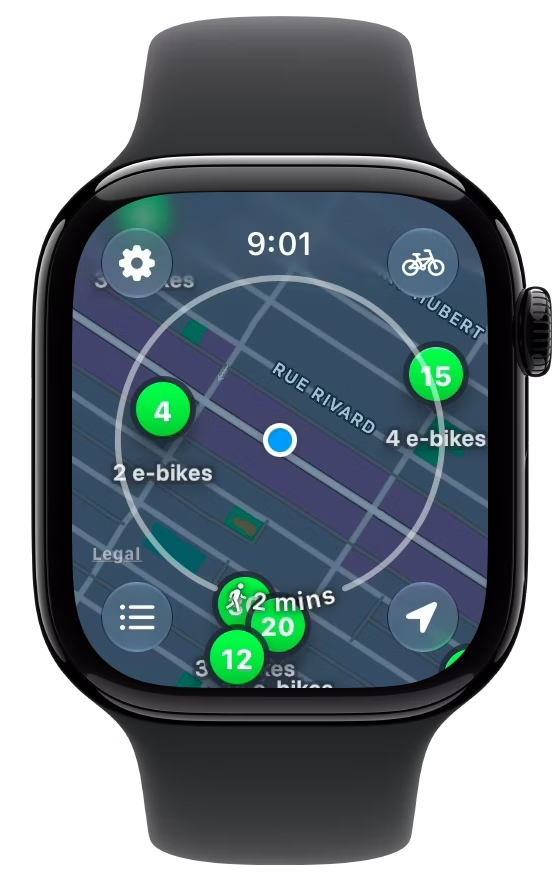
The reach ring
A ring around you shows how far you can walk in a few minutes. Zoom out and it switches to how far you can ride. Move the map somewhere else and it tells you how long it would take to get there.
- Walking distance up close
- Riding distance zoomed out
- How long to get somewhere else
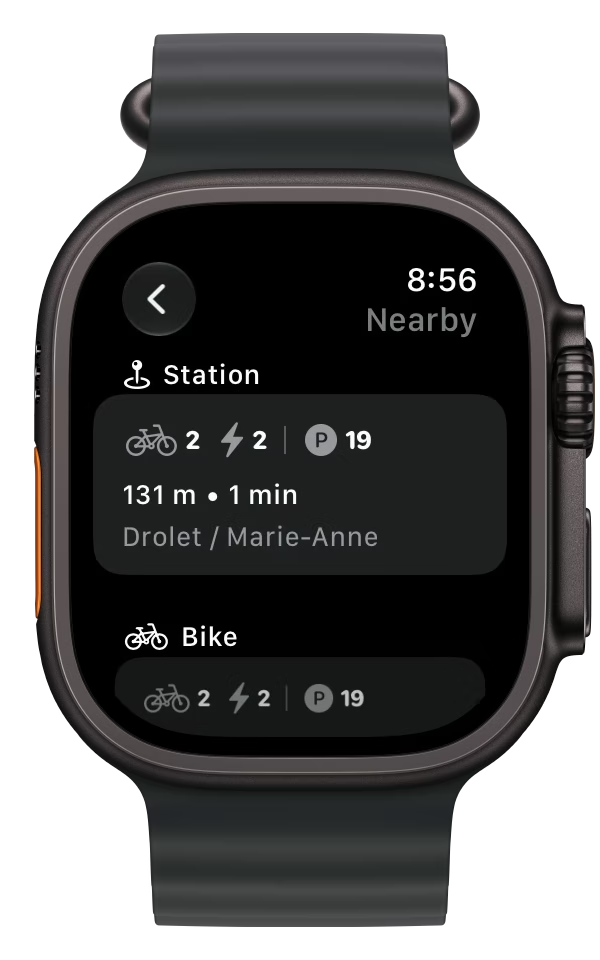
Nearby on your watch
The nearest station comes first, then the nearest bike, e‑bike, and parking spot. It's the same list your iPhone shows.
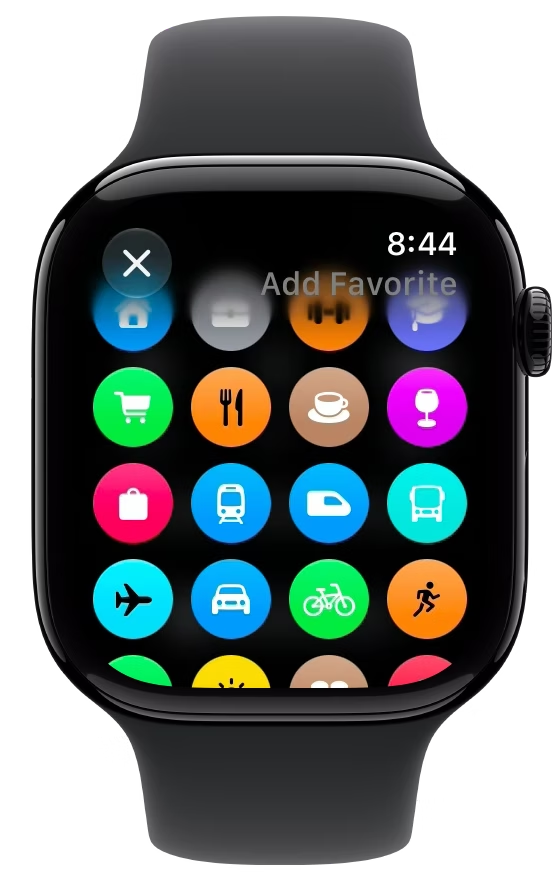
Favorites on your watch
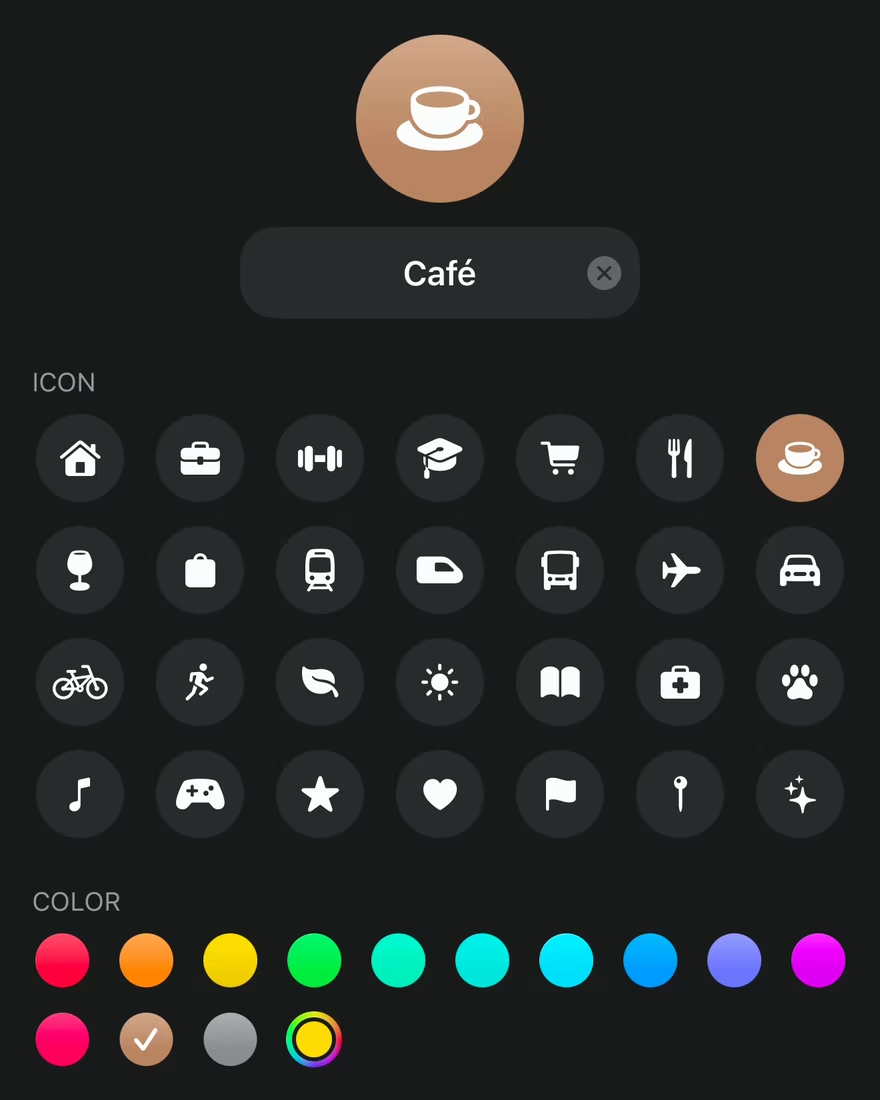
Save a station and pick an icon for it right on your watch. It shows up on your iPhone too, and the other way around.
Complications
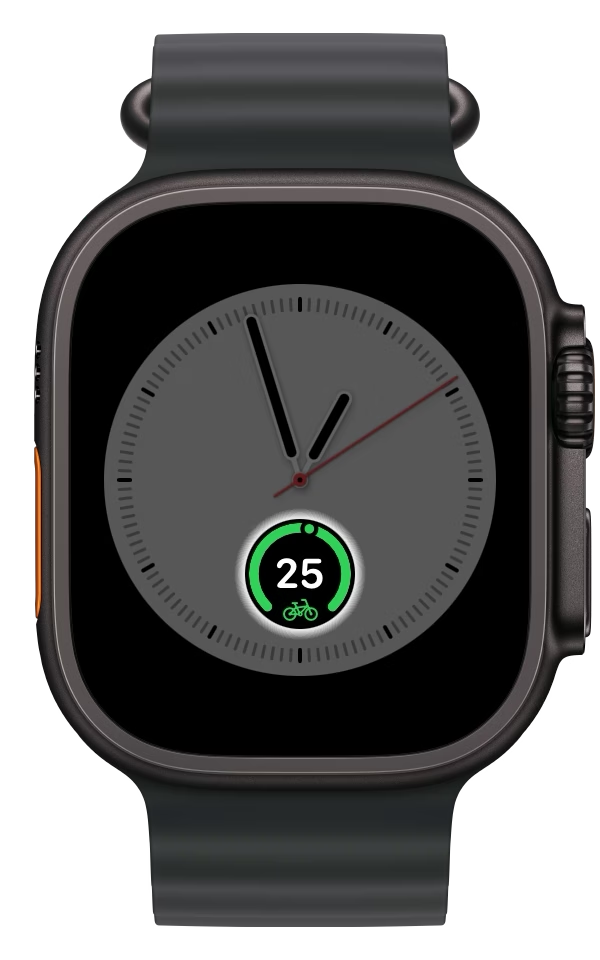
Put bikes, e‑bikes, or parking spots on your watch face, for the nearest station or one of your favorites.
Save the stations you use.
Give them a name, an icon, and a color. They come first in every list and stand out on the map.
Favorites
Save a station as Home, Work, or anything else. Then put it in a widget or a complication, or ask Siri about it by name. Sort your favorites by closest or farthest.
Nearby
Your favorites stay at the top of Nearby with their parking spots counted, so you'll know there's room before you ride home. Under them, the nearest station, bike, e‑bike, and parking spot get a row each.

Check without opening the app.
Most days, a glance at your Home Screen or Lock Screen is enough.
Widgets
Put the nearest station, e‑bike, or parking spot on your Home Screen, in three sizes, or one of your favorites instead.

Live Activities
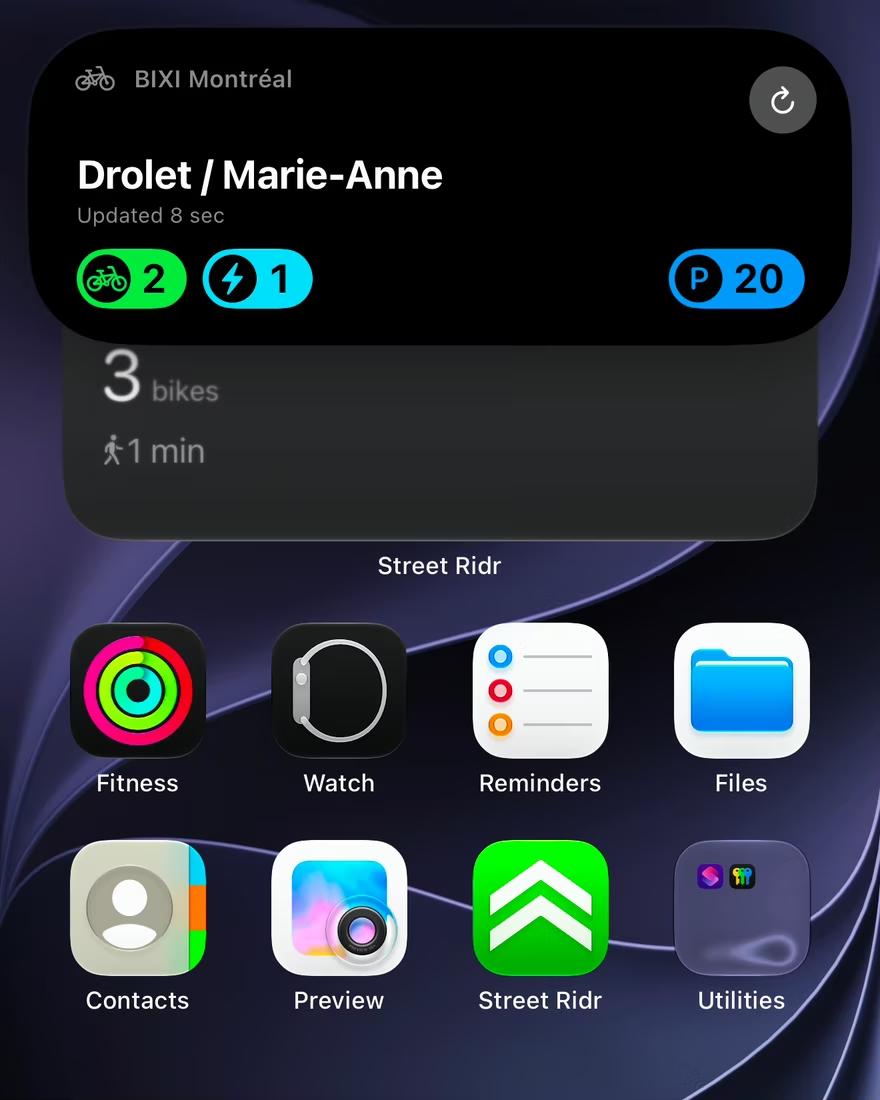
Open a station, then leave the app. Its counts stay in the Dynamic Island and on your Lock Screen while you walk over.
-
Ask Siri
Say “Hey Siri, nearest station in Street Ridr” and you'll get the station's counts without opening the app. You can also ask “How's Home in Street Ridr?” about a favorite.
-
No location needed
You don't have to share your location. Move the map wherever you want and it'll open there next time.
-
Control Center
Add a button that opens the map right where you are, on your iPhone or Apple Watch.
-
14 languages
English, French, Spanish, Brazilian Portuguese, German, Italian, Dutch, Danish, Swedish, Norwegian, Finnish, Polish, Romanian, and Arabic, laid out right to left. Station and city names stay as each system writes them.
Street Ridr is in
Montréal.
Street Ridr works with one public bike-share system in each of 51 cities. There's no home city to choose. Open the app anywhere and it switches to the local system.
-
North America
19 citiesCanada
- Montréal
- Québec City
- Toronto
United States
- Aspen, CO
- Austin, TX
- Boston, MA
- Chattanooga, TN
- Chicago, IL
- Detroit, MI
- Fort Worth, TX
- Honolulu, HI
- Kona & Hilo, HI
- Miami, FL
- New York, NY
- Pittsburgh, PA
- Portland, OR
- San Francisco, CA
- Tucson, AZ
- Washington, DC
-
Latin America
14 citiesArgentina
- Buenos Aires
- Nordelta
Brazil
- Brasília
- Curitiba
- Porto Alegre
- Recife
- Rio de Janeiro
- Salvador
- São Paulo
Chile
- Santiago
Colombia
- Bogotá
Mexico
- Guadalajara
- Mexico City
- Valladolid
-
Europe
17 citiesFrance
- Clermont-Ferrand
- Paris
- Valence
Monaco
- Monaco
Romania
- Dej
- Hunedoara
- Moinești
- Sântana
- Sibiu
- Târgu Mureș
Spain
- A Coruña
- Barcelona
- Bilbao
- Madrid
- Rivas-Vaciamadrid
- San Sebastián
- Zaragoza
-
Middle East
1 cityUnited Arab Emirates
- Dubai
Common questions.
Do I need my iPhone with me?
Not if your watch can get online. The Apple Watch app works on its own and gets live counts over cellular or Wi‑Fi, or through your iPhone when it's nearby.
Which cities does it cover?
51 cities so far, with one public bike-share system in each. Here's the full list.
Where does the data come from?
From each operator's public GBFS feed, the open format bike-share systems use to publish their station data. Street Ridr isn't affiliated with any operator.
Does it work offline?
Partly. Stations are saved on your device, so the map opens without a connection, but live counts need one. If a count is out of date, the app shows how old it is.
Can I rent a bike in it?
No, renting happens in the operator's app. The Ride button opens it at the station you're looking at.
Another question? Write to us.
support@streetridr.com